Cloudflare IP Update
Original source: Cập nhật IP động cho tên miền qua CloudFlare để truy cập homelab tại nhà
Author: Thuận Bùi
Requirements
- A domain (transferred into Cloudflare DNS).
- A Cloudflare account.
- A computer/Virtual machine running any version of Linux.
The domain must be a PAID domain (.com, .net, .org, .me, etc.). Cloudflare doesn't support free domains (.tk, .ga, .ml, .cf, .gq, etc.)!
Setup Cloudflare.sh script
Create a file with any name you want (in the instructions below, I will use Cloudflare.sh), which contains:
#!/bin/bash

# Forked from benkulbertis/cloudflare-update-record.sh
# CHANGE THESE

# API Token (Recommended)
auth_token="xxxx-xxxxxxxxxxxxxxxxxxxxxxxxxxxxxxxxxxx"

# Domain and DNS record for synchronization
zone_identifier="f1nd7h3fuck1n6z0n31d3n71f13r4l50" # Can be found in the "Overview" tab of your domain
record_name="ipv4.example.org"                     # Which record you want to be synced

# DO NOT CHANGE LINES BELOW

# SCRIPT START
echo -e "Check Initiated"

# Check for current external network IP
ip=$(curl -s4 https://icanhazip.com/)
if [[ ! -z "${ip}" ]]; then
  echo -e "  > Fetched current external network IP: ${ip}"
else
  >&2 echo -e "Network error, cannot fetch external network IP."
fi

# The execution of update
if [[ ! -z "${auth_token}" ]]; then
  header_auth_paramheader=( -H '"Authorization: Bearer '${auth_token}'"' )
else
  header_auth_paramheader=( -H '"X-Auth-Email: '${auth_email}'"' -H '"X-Auth-Key: '${auth_key}'"' )
fi

# Seek for the record
seek_current_dns_value_cmd=( curl -s -X GET '"https://api.cloudflare.com/client/v4/zones/'${zone_identifier}'/dns_records?name='${record_name}'&type=A"' "${header_auth_paramheader[@]}" -H '"Content-Type: application/json"' )
record=`eval ${seek_current_dns_value_cmd[@]}`

# Can't do anything without the record
if [[ -z "${record}" ]]; then
  >&2 echo -e "Network error, cannot fetch DNS record."
  exit 1
elif [[ "${record}" == *'"count":0'* ]]; then
  >&2 echo -e "Record does not exist, perhaps create one first?"
  exit 1
fi

# Set the record identifier from result
record_identifier=`echo "${record}" | sed 's/.*"id":"//;s/".*//'`

# Set existing IP address from the fetched record
old_ip=`echo "${record}" | sed 's/.*"content":"//;s/".*//'`
echo -e "  > Fetched current DNS record value   : ${old_ip}"

# Compare if they're the same
if [ "${ip}" == "${old_ip}" ]; then
  echo -e "Update for A record '${record_name} (${record_identifier})' cancelled.\\n  Reason: IP has not changed."
  exit 0
else
  echo -e "  > Different IP addresses detected, synchronizing..."
fi

# The secret sause for executing the update
json_data_v4="'"'{"id":"'${zone_identifier}'","type":"A","proxied":true,"name":"'${record_name}'","content":"'${ip}'","ttl":120}'"'"
update_cmd=( curl -s -X PUT '"https://api.cloudflare.com/client/v4/zones/'${zone_identifier}'/dns_records/'${record_identifier}'"' "${header_auth_paramheader[@]}" -H '"Content-Type: application/json"' )

# Execution result
update=`eval ${update_cmd[@]} --data $json_data_v4`

# The moment of truth
case "$update" in
*'"success":true'*)
  echo -e "Update for A record '${record_name} (${record_identifier})' succeeded.\\n  - Old value: ${old_ip}\\n  + New value: ${ip}";;
*)
  >&2 echo -e "Update for A record '${record_name} (${record_identifier})' failed.\\nDUMPING RESULTS:\\n${update}"
  exit 1;;
esac
You have to change these variables:
auth_token: Cloudflare API Token.zone_identifier: Zone ID.record_name: Domain.
Create a Cloudflare API Token
Go to Cloudflare User API Token to create a new token.
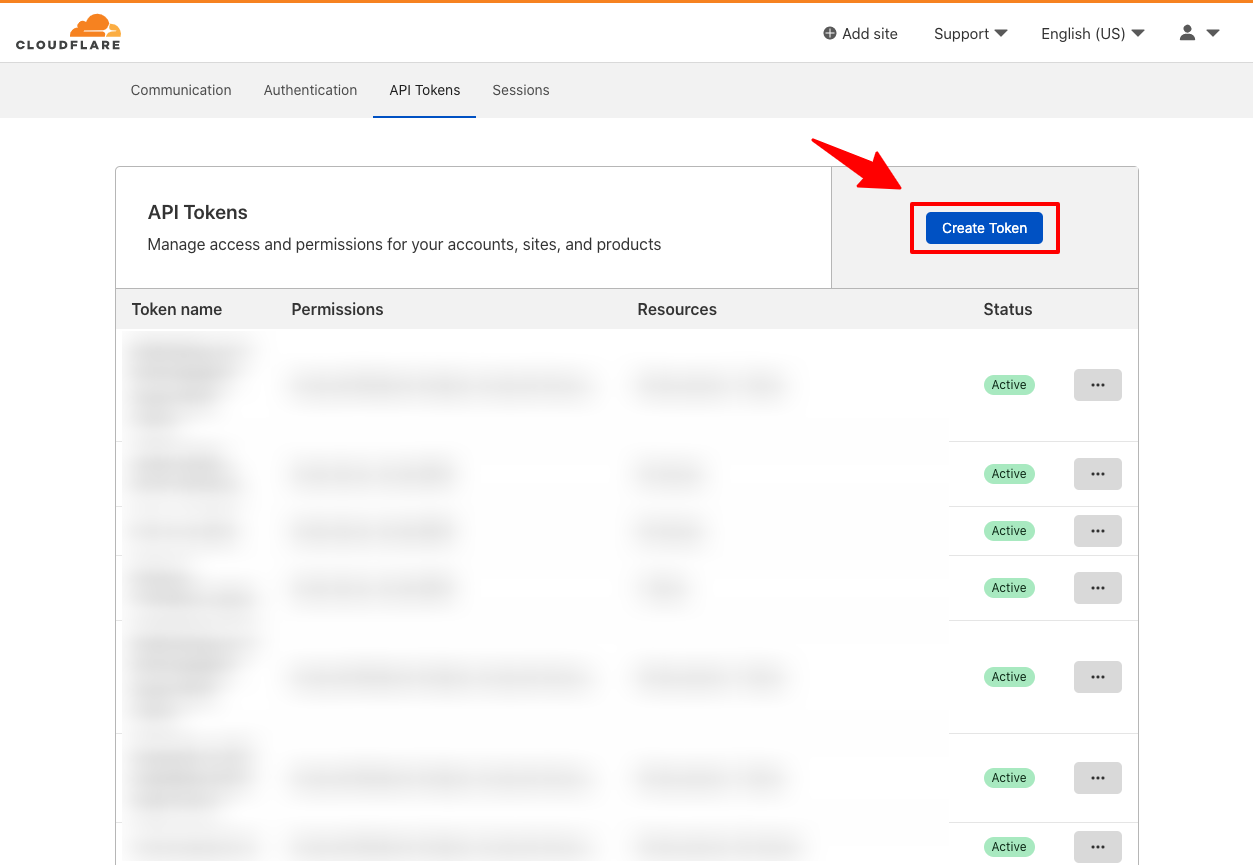 Click Create Token
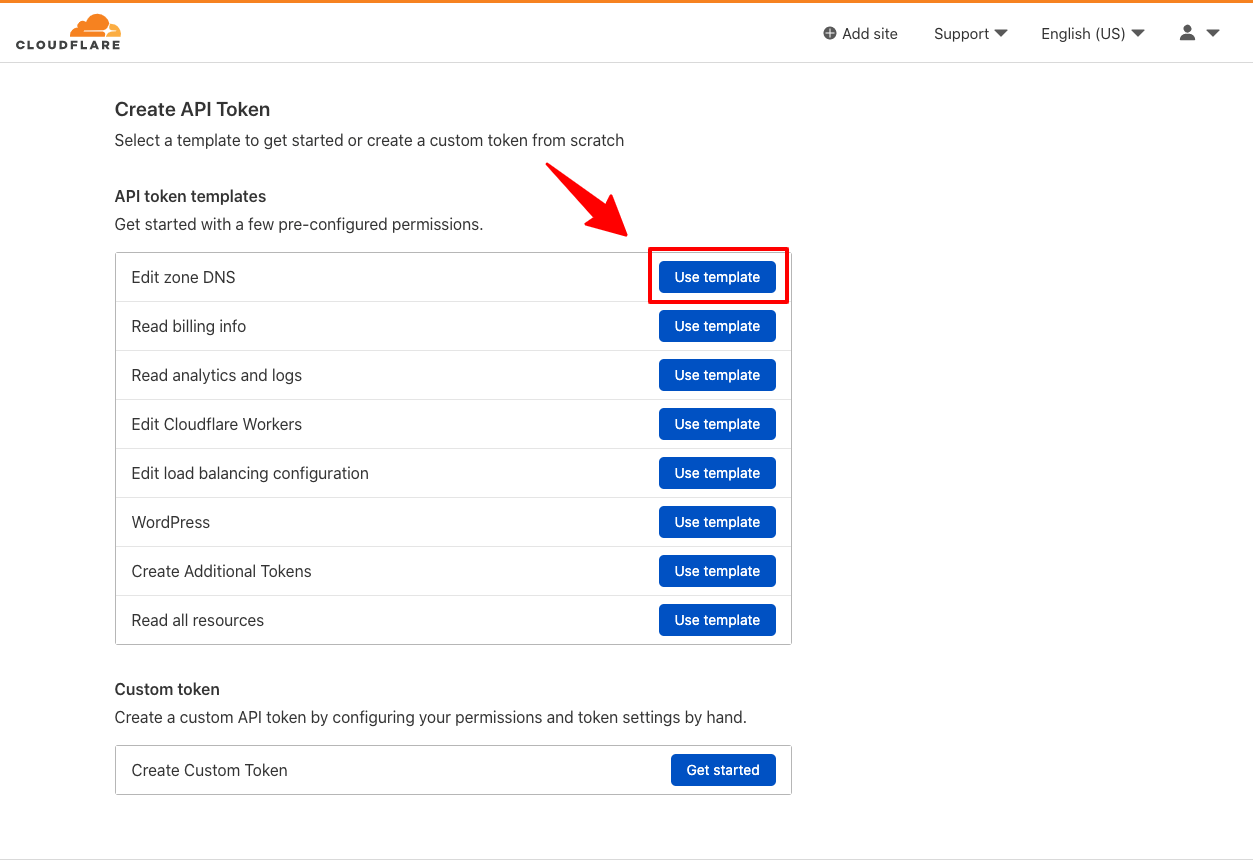 Click Use Template at Edit Zone DNS section
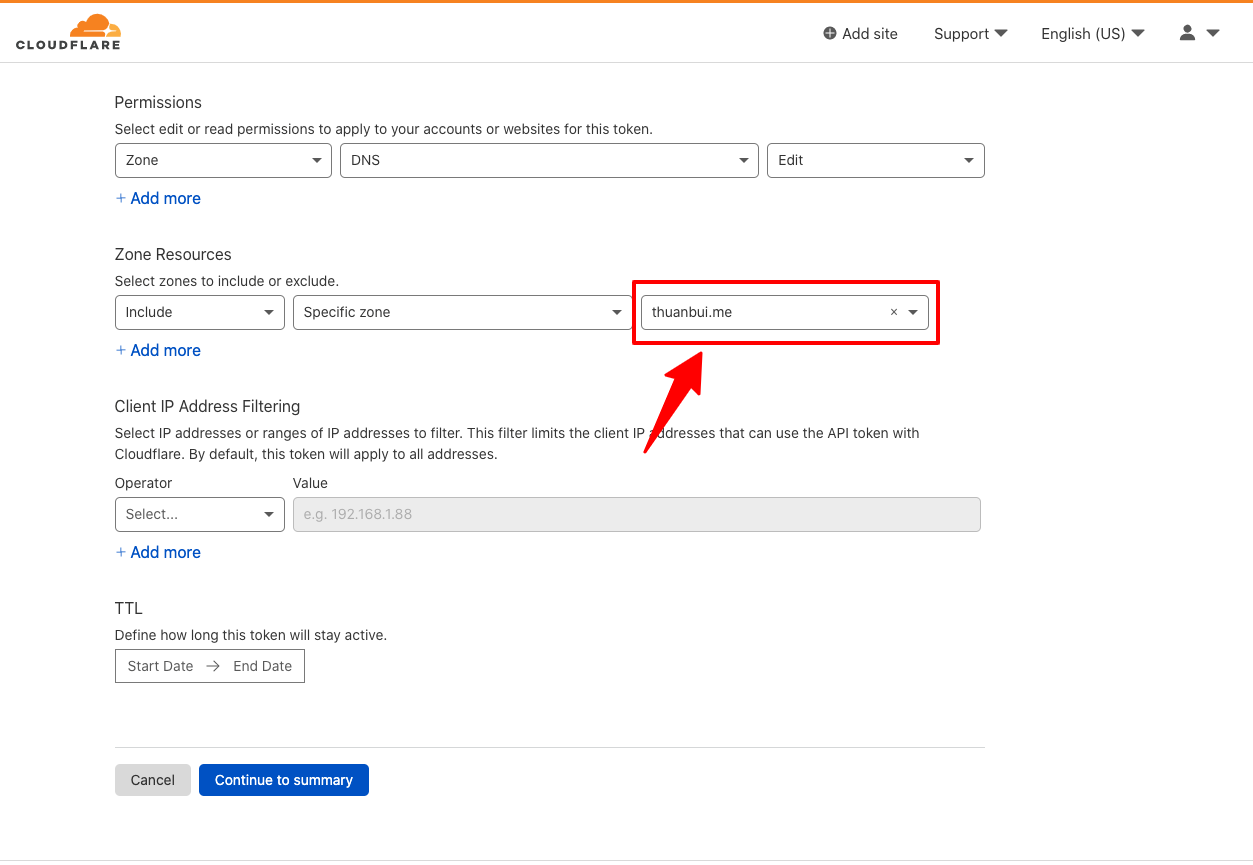 At Zone Resources section, choose your domain on which you want to update IP, then click Continue to Summary
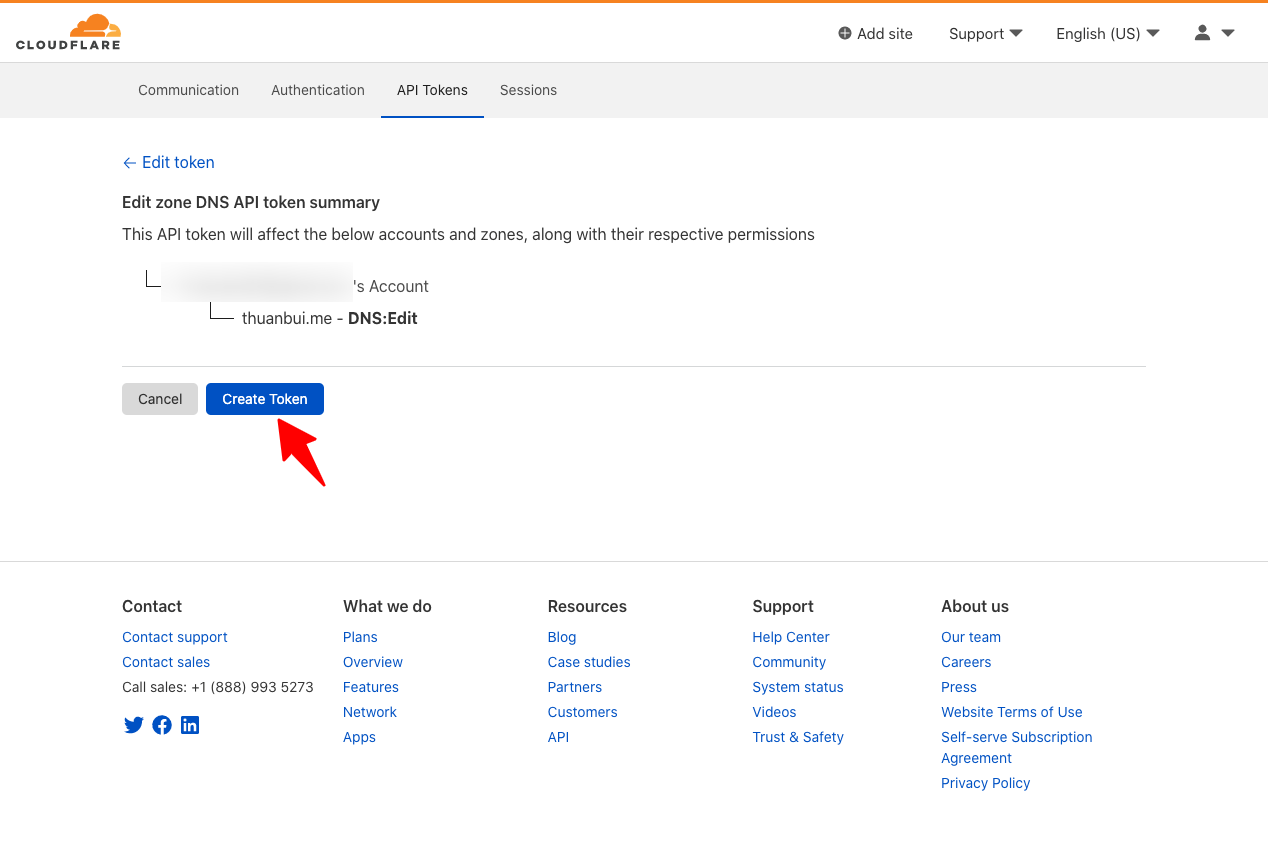 Click Create Token
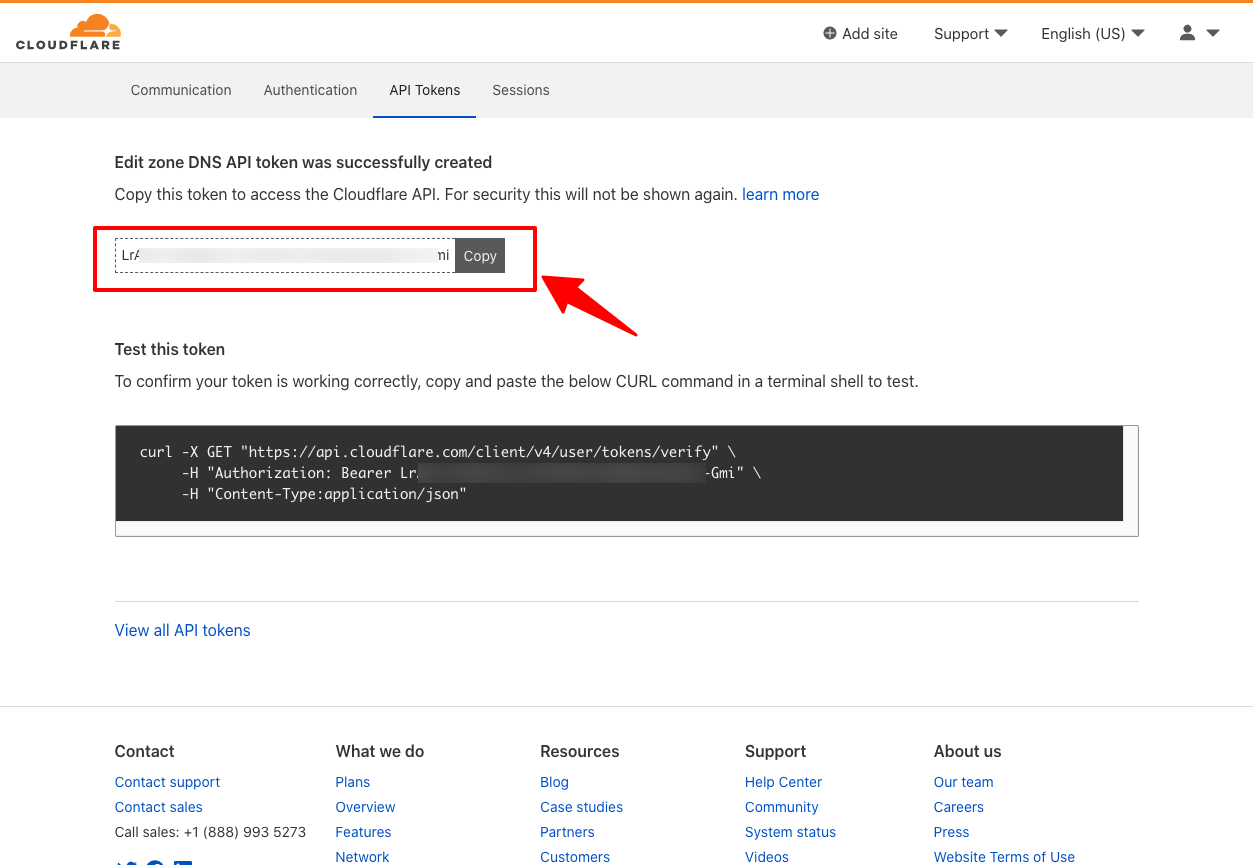 Done!
Done!
You should save the token you just create somewhere safe and sound. This token WILL NOT be shown again anymore on Cloudflare due to security reasons. If you forget to save it, you will have to delete it and create a new one.
Zone ID
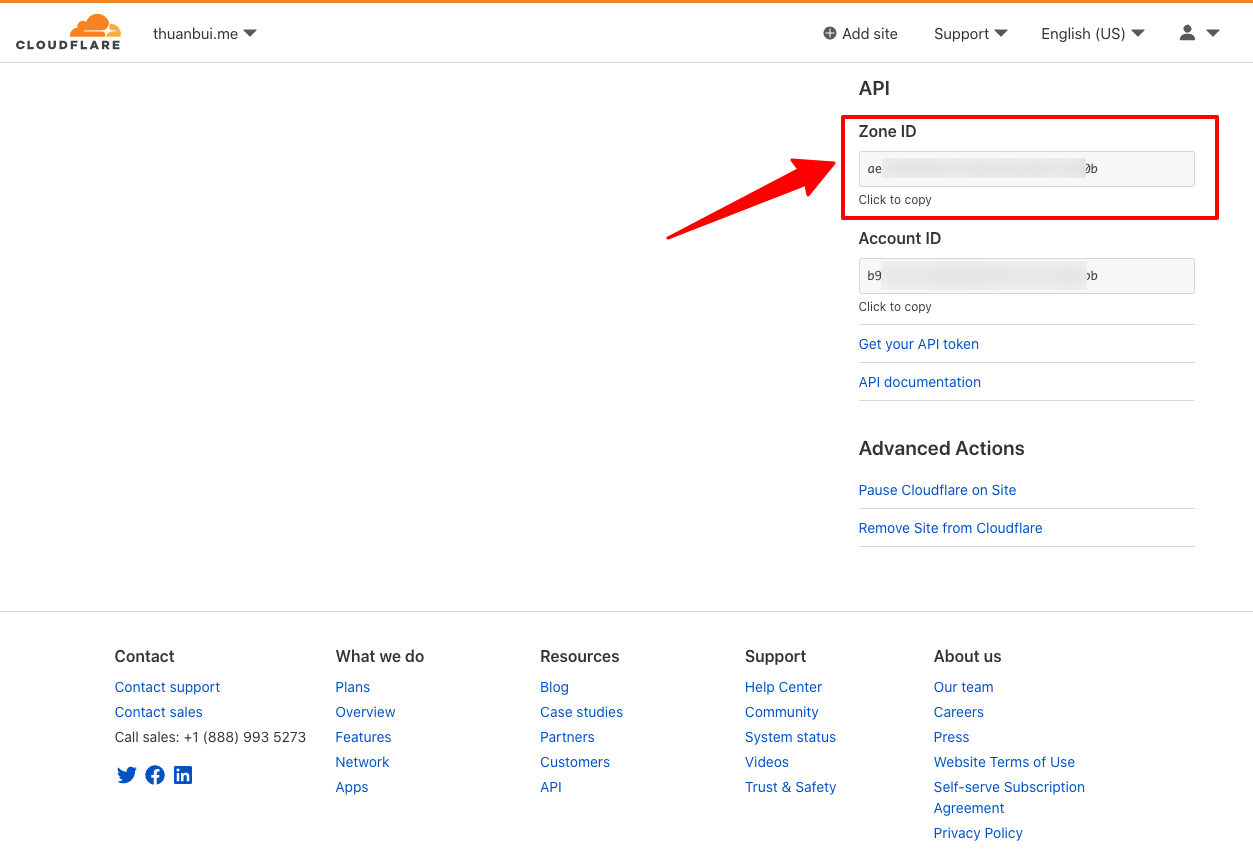
At Cloudflare dashboard, click on your domain name to update IP. Scroll down to see Zone ID. Save this to append into your script.
Create an A Record for your domain
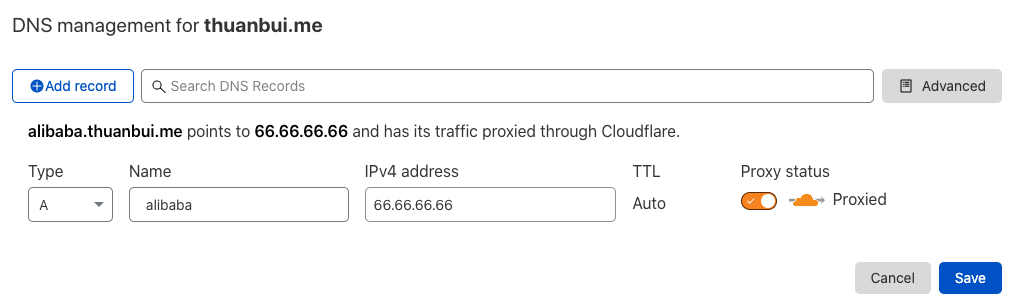
Ví dụ mình muốn sử dụng tên miền alibaba.thuanbui.me để truy cập đến homelab ở nhà. Bấm vào Add record và tạo một A record mới.
Name: điền vào alibaba IPv4: điền tạm 1.1.1.1, thông số này sẽ được tự động cập nhật về IP của modem sau khi chạy script.
Case in point, I want to use alibaba.thuanbui.me (author's domain) to access my homelab at home.
Click Add record and create a new A Record.
Update the script
Use all those information to update your script.
By default, this script activates Proxy on Cloudflare to hide your modem's IP, reducing the risk of being attacked on your home network. For some reasons, you don't want to hide your IP, then change the "proxied":true to "proxied":false.
Test the script
Set the execute permission for the file cloudflare.sh:
$ chmod +X cloudflare.sh
Run the script:
$ bash cloudflare.sh
If everything is correct, you should see the following output:
$ bash cloudflare.sh
bash: warning: setlocale: LC_ALL: cannot change locale (en_US.UTF-8)
Check Initiated
  > Fetched current external network IP: 27.xx.xx.xx
  > Fetched current DNS record value   : 1.1.1.1
  > Different IP addresses detected, synchronizing...
Update for A record 'alibaba.thuanbui.me (48bxxxxxxxxxxxxxxxxxxxx60)' succeeded.
  - Old value: 1.1.1.1
  + New value: 27.xx.xx.xx
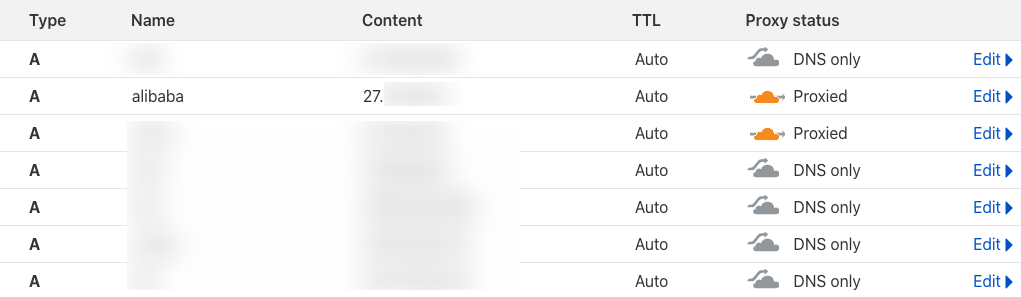
Back to Cloudflare DNS page, the domain alibaba.thuanbui.me has been updated with the new IP. Naisu.
Setup automatic crontab
The last thing you have to do is to setup crontab to run script 24/7. Then you don't have to mind about it anymore.
$ crontab -e
I adjusted the script to run automatically every 10 minutes by adding this line at the bottom.
*/10 * * * * /bin/bash /directory/to/your/cloudflare.sh
Make sure to change /directory/to/your/cloudflare.sh to the path where your cloudflare.sh file is stored.